Max Tray player is a free music player to play music and offers player control options in Computer’s system tray. This free music player has got integrated controls, designed to make it convenient for the user. The free music player is available for free and places its most commonly functional buttons on the windows system tray, thereby allowing the user to access them as and when he/she would want to.
Downloading And Installation Of This Free Music Player:
The player can be downloaded from the Max software website or the software downloading portals. The setup file is of 1.7 MB and hardly takes any time for installation.
Interface And The Working Of This Free Music Player:
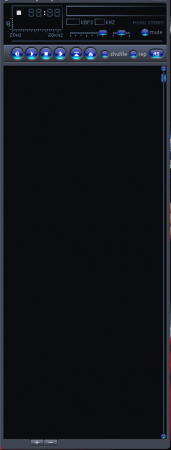
Almost everyone must have used the Media player, so using the MAX Tray Player, wouldn’t be a difficult task. It’s designed like any other music player, where the interface gives you a chance to drag and drop your favorite files. In fact, the operation is very similar to the other music players that are available across the internet.
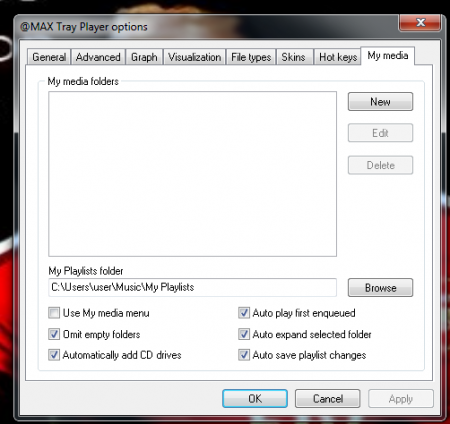 The advantage of the this free music player is that, it seamlessly integrates with the task bar. While you may be busy working, the software can be accessed easily to fine tune the controls. The most used buttons become a part of the task-bar, thereby enabling you to access them very easily.
You can easily play the current file, skip to your next or previous track, stopping and playing of a track; every normal playing feature can be controlled via the task-bar. The visibility of the task-bar player can be adjusted easily. The player can also be controlled through keyboard hot keys. Customization is not limited to the appearance of the player in task-bar or the keyboard key control. You can choose the appearance of the player from a variety of skins present. The special feature of My Media Browser, adds an explorer-esque experience to your player. Almost all audio formats and most commonly used video formats are supported by the player. The facility of playing Internet Radio is also present.
Pros and Cons Of This Free Music Player:
The software functions faster and also doesn’t take up much space. There is no need to stop the work momentarily, for controlling the player. For those who prefer to control their media player without interrupting their work, Max Tray Player is the perfect option.
On the negative side, the interface is not detachable and it can’t be dragged. It can be scaled vertically but it’s size cannot be increased.
The final Verdict
It is basically an improvement on the Windows Media player in every aspect. It’s free, it’s convenient, it’s simple to use, it’s efficient; it’s the perfect player for your system. It depends on you, whether you want an extension on your current media player. If you use your PC while listening to music, Max Tray Player is a must for you!
