VideoLobster is a free video file converter for Windows to edit video, and convert video files into different formats. The chief benefit of this free video converter is wizard-like interface that lets you to easily convert video files.
In a simple language, VideoLobster is a video converter, DVD ripper for free, MKV Demuxer, MP4, 3GP, MOV, FLV, YouTube Video Converter.
In addition, this free video converter also converts HD video: HD H.264/AVC, TS, AVCHD, supports some mobile devices such as iPhone, iPad, iPod, Apple TV, PS3, PSP and Xbox.
Also check out our post Total Video Converter.
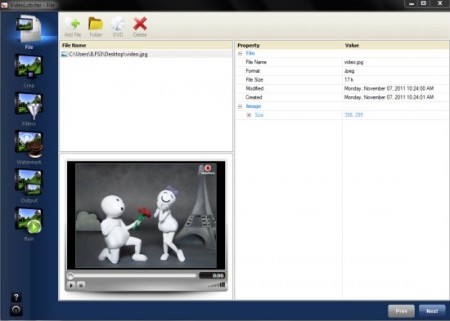
This free video file converter comes up with pretty cool features.
Some key features of this free Video Converter:
- Set any output video and audio settings such as codecs, bitrates, etc.
- To improve the quality of the video you can easily refine it using filters such as auto-contrast, sharpness, blur video, auto-level and so on.
- Use various available algorithm such as Bilinear, Bi-cubic, Lanczos3, Lanczos8 in order to Resize videos.
- Crop any part on video image.
- The application interface follows up with various languages.
- The most attractive part is that you can use your entire monitor screen for conversion as the main window of VideoLobster is scalable.
iPad users can check out iPad Video Converter reviewed by us.
How to Download Video File Converter:
- Go onto the website.
- Click on “Download” given at the top-right side on the page
- Click on Save
- Double click on the downloaded icon in order to run
- The installer will automatically download VideoLobster as you follow the instructions coming your way.
Yup..its done. Start enjoying and playing around with all your videos.
In a nutshell, VideoLobster is a nice video converter to convert video files to different formats so as to let you play in different gadgets.
