Secure Wipe is a freeware to permanently delete files, and permanently delete folders. that runs in the background and, upon your command, will remove any and all personal information that is on your computer. This kind of permanently file deletion program is an essential tool to have these days, as when we delete passwords and so forth, we are never really sure they have been completely erased. Secure Wipe guarantees to wipe this sensitive data from our computer.
When we, the user, deletes information, we essentially tell the computer that it may now use the deleted space to place new information – the “deleted” information is still on the machine. As you add new data, the computer over-writes what was previously written. If someone, with computer knowledge and a undelete tool, was to access your computer, before the information had be over-written, he or she could learn your passwords, and other sensitive data.
This small free private information erasing software, wipes the hard disk and allows new information to be over-written. Secure Wipe actually guards this “deleted” area until it is over-written. As mentioned this free personal information remover, is small and is continually running and as you delete data, it wipes the disk, making sure everything is completely clean ready for new data.
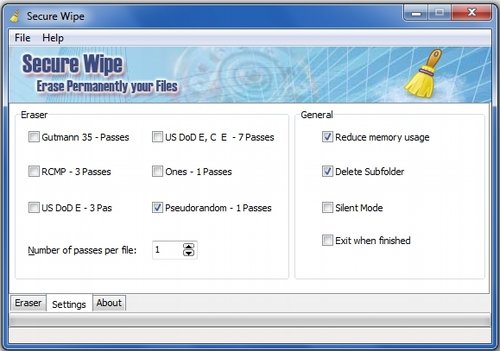
Secure Wipe has a very easy and understandable interface, which both seasoned pros and novice beginners are able to navigate. All deleting commands are written in language that is easy to understand and not misleading in any way. For those that install this simple-to-use sensitive data erasing software, it is recommended that you allow Secure Wipe to handle all deleting and erasing processes on your machine.
The reason for this is as follows: clicking on the “uninstall” button of a program, often doesn’t uninstall it completely, Secure Wipe will make sure your hard disk is free of any software you don’t want or need. With this personal data wiping application running on your computer, you need not worry about your personal files and other data being viewed, copied or stolen by anyone.
Also check out other permanent file deletion software, like, Freeraser, and Tweaknow Secure Delete.
Secure Wipe is a free easy-to-use application designed for use on Windows XP, Vista and Windows 7. Download Secure Wipe free.
