Blu-ray to DVD Express is a free software that lets you split and copy a Blu-ray movie into multiple DVDs. Blu-ray or Blu-ray Disc (BD) is an optical disc format used to store high-definition (HD) videos which are big in size. It offers almost five times more data storage capacity than traditional DVDs. Blu-ray to DVD Express lets you easily split these large videos from a Blu-ray disc into multiple DVDs, making it possible to enjoy them on your DVD player.
Blu-ray to DVD Express can burn HD movies stored on Blu-ray discs or Blu-ray files stored on hard discs to multiple DVDs. The program offers high burning speed, as well as options to choose target DVD size. However, in case of an encrypted Blu-ray movie, an additional decryption software is required.
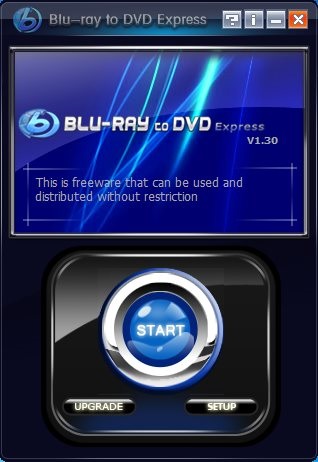
I have reviewed many free DVD Burners, but Blu-Ray to DVD comes with the unique feature of splitting Blu-Ray disc to DVDs.
Download and Install Blu-ray to DVD Express:
In order to use Blu-ray to DVD Express, you need to first download and install it in your system. You can use the link given at the end of this article to go to the download page of the software and download it from there. The size of the setup file is around 3.53 MB and it takes just few seconds to get installed. Once installed, you can proceed with burning Blu-ray movies to DVDs using the software; obviously you require DVD writer and Blu-ray drive on your system for this. Let’s see how this can be done.
Copy Blu-ray Movie to DVDs using Blu-ray to DVD Express:
First of all start Blu-ray to DVD Express. Then click on “Start” button, choose your source disc, and click “Next”. After that, choose your target file directory and then click “Start”. Now wait for a moment and let Blu-ray to DVD Express complete the burning process. That’s it.
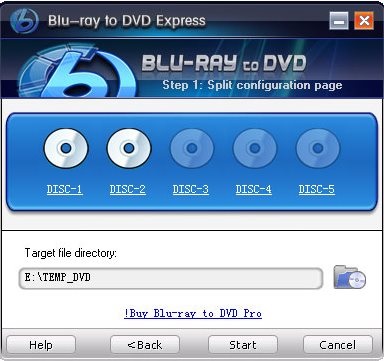
Some Key Features of Blu-ray to DVD Express:
- Free software to split and copy Blu-ray movie to DVDs.
- Preserve original quality.
- Supported input formats: BD Movie, M2TS, TS.
- Option to choose size of target DVD (DVD 5 or DVD 9).
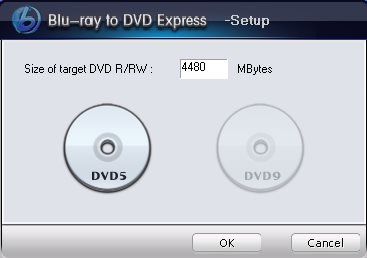
- High burning speed
- Clean UI.
- Simple and reliable.
The Final Verdict:
Blu-Ray to DVD Express is a good and easy to use software. If you want to enjoy Blu-ray movies on your DVD player, give it a try. And if you want more configuration options like saving subtitle and audio tracks, or selectable burning, you can go for the pro version.
