Colasoft Ping Tool is a free portable network analyzer that helps you to ping multiple IP addresses and further list the comparative responding times as a graphic chart. The feature of this free network tool being available for free and coming with advanced ping options makes it a very powerful offering when compared to the similar software available. You can use this tool for viewing historical charts after saving them in .BMP formats and ping IP addresses of the captured packets through its network analyzer. This would include even the resource IP addresses as well as the destination IP addresses.
Installing this network analyzer
In order to get Colasoft Ping tool for your computer you would have to visit the developer’s website here. Once you are at the website you will have to click on the download button appearing at the bottom. This would redirect you to a new page where after 5 seconds the download process would initiate. The software is about 7MB in size so with decent internet connectivity it would take about 5 minutes to be downloaded in your system. Once the download process completes the next step is to run the setup process of installing the program on your system. It could be done by running the setup file which you have downloaded which initiates a step by step process. People looking for some easy to use Ping tools can also try WinPing, Free Ping Tool and 7 Online Ping Test Tools.
Using the Colasoft Ping Tool
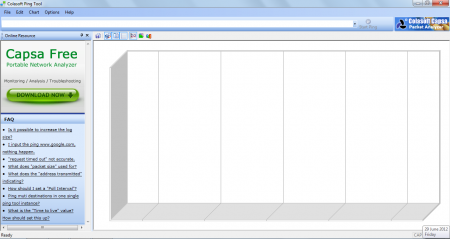
Once you are done installing the program on your system the next thing to do is launching the program. Once it gets launched you are presented with a screen with a blank chart and an FAQ section on the left of the main window. In order to start the software to carry out its activities you just need to insert the URL which you wish to Ping and track. Once you have inserted the URL just press the ENTER key and the process would be initiated.
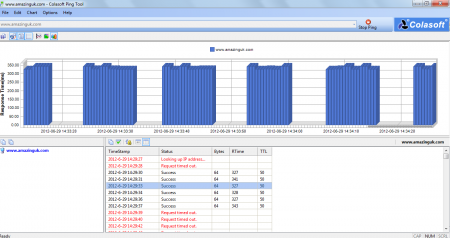
Below the address bar where you type in the website URL you have several options such as saving the record of the ping performed, changing the chart structures i.e. select bar charts, area charts, line graphs, etc. Below that on the left side you are presented with the server details such as the location where the site is hosted, IP address, and other technical information regarding the URL inserted. At the right side you have continuous updates of the ping that is checked every second. It shows the status of tracking, the bytes received, and a few more technical details of the ping process. If you wish to stop the ping process you can simply click on the STOP PING at the right side of the address bar.
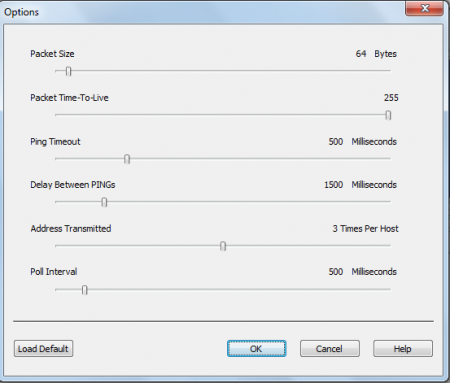
For changing the preferences and the options of the program you would have to click on the options from the Menu Bar, doing so pops out a new window with options of increasing and decreasing on it. The options listed for modification include the changes for packet size, ping timeout, Display between each ping, and much more.
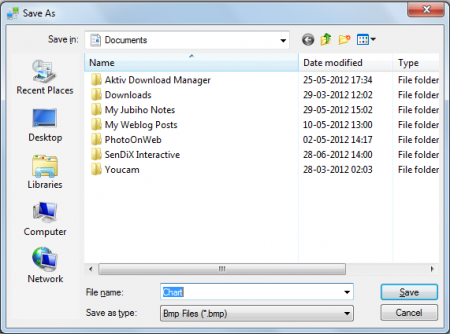
In case you wish to ping multiple IPs you can do so by entering different URLs, separated by a ‘’,’’. Once you have them there just press the ENTER key and the process of multiple IPs would start. After you have recorded the ping and wish to save the entire recording just press the save icon at the top below the menu bar and it would ask you to choose the destination you wish to save the entire ping process. Therefore with this free tool you could ping multiple IPs just as you would have done with the other expensive tools available in the market.
Now that you know all about Colasoft Ping Tool, you can start using this portable network analyzer to ping multiple IP addresses and list the comparative responding times as a graphic chart.
Download Colasoft Ping Tool Free.
