MojoPac is a free software that lets you install complete desktop on USB memory stick, or iPod. MojoPac is a lot like Lupo Pen Suite.
MojoPac is a clever tool that enables users to set up a free portable computing environment on an external storage device, such as a USB memory stick, or even on a music player like iPod. The user can then install the programs they want onto this free portable computing environment and also transfer some files from the original computer.
Update (1-Sep-2012): This software is not free now.
This means that, in theory, MojoPac is very similar to carrying around a cut-down version of your normal computer setup. You can constantly have the familiar computer environment that you are used to, regardless of whose computer you are on, as long as you have the memory device that it is installed on.
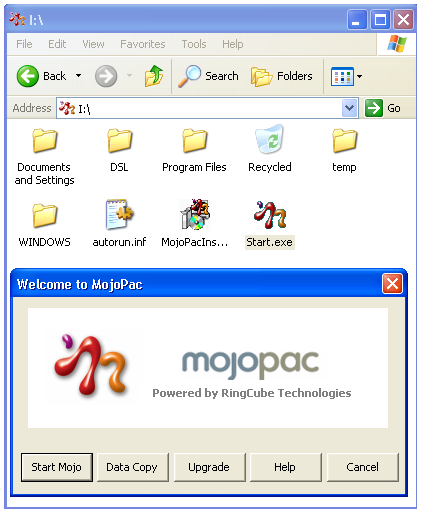
Carry Your Computer Around With You
When you plug the memory device with Mojopac into another computer, you can either configure it to run automatically or when you click on the executable file. This then loads up your free portable computing environment, with its own desktop and programs, ready to be used straight away.
If you load all of your favorite programs onto the memory device, then this means that you can use something very similar to your own computer, regardless of where you are. For example, if you are the kind of person that travels on business a lot, then you can carry a memory stick with the MojoPac free portable computing environment installed. This means you can load the environment on any computer that you use whilst away.
A great feature of Mojopac is that it can be run from a music player like iPod as well. So, when you carry your iPod around, you are also essentially carrying your office with your applications and files. Just plug in your iPod into any computer, and you will have your familiar working environment.
One more great use of MojoPac is that it lets you install directly on your iPod. So, you can just plug in your iPod on any computer, and just play around with iTunes. The host computer does not need to have iTunes or any free iTunes alternative.
Thoughts…
Overall, MojoPac is a very clever piece of software. It runs smoothly, just like a normal operating system, meaning that it is high performance enough to allow gamers to play their games through it. It also means that businessmen who travel needn’t worry about losing processing speed or quality of performance by running the free portable computing environment.
So, MojoPac is a great tool that has uses for a wide variety of people and is a download that everyone should try out.
If you carry important documents in your USB device, make sure to encrypt USB drive.
